Open Source Business Collaboration at Scale: Privacy & Full Control
What is Nextcloud, How Does It Work, and How to Set It Up for Business?
Nextcloud is the open-source collaboration platform European companies and public bodies turn to when they want to leave Microsoft 365 or Google Workspace. Those suites are good products. They also decide what you pay each year and where your documents live, and leaving gets harder the longer you stay. Nextcloud covers the same daily work on infrastructure you choose.
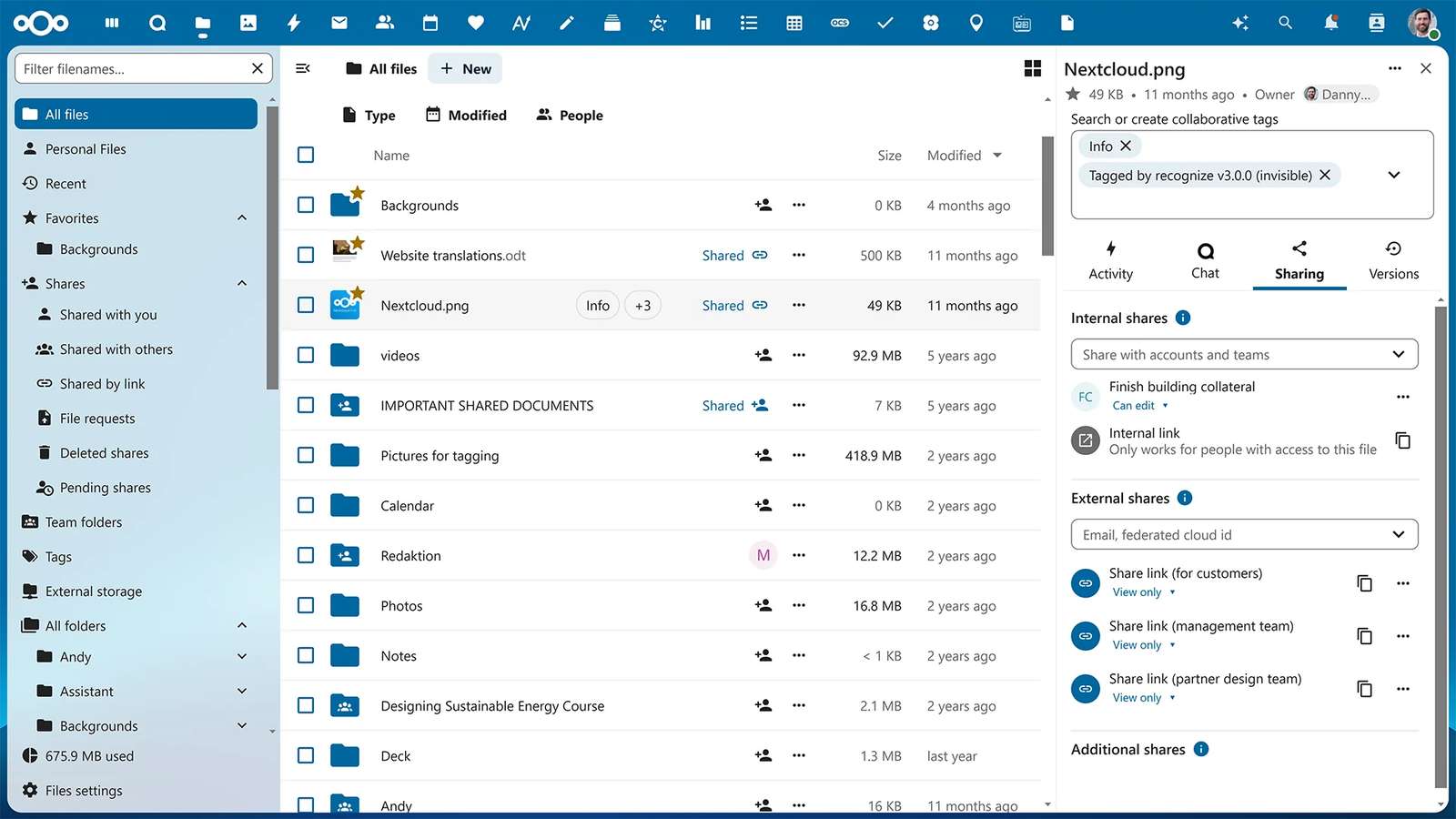
Built on PHP and developed by Nextcloud GmbH in Stuttgart together with an open-source community, Nextcloud gives you what a business normally buys a productivity suite for (file sync and sharing, office documents, chat and video calls, calendars, contacts and an AI assistant), while keeping 100% of your files under your roof.
Under the hood it is a web application with a database and a storage backend. The desktop and mobile apps sync files with the server over WebDAV. Calendars and contacts use the open CalDAV and CardDAV standards, so iPhones, Macs and Thunderbird connect natively. Everything beyond files is an app you switch on from the built-in App Store.
What are the Primary Benefits of Using Nextcloud?
Full Data Ownership
Just like with team messaging (see our Mattermost setup guide), the core philosophy is the same: you own your data. Every contract, invoice, HR record and board presentation lives on your infrastructure. No third party can scan it for its own purposes or decide one day that you can no longer reach it.
That second risk stopped being theoretical in 2025. After the United States imposed sanctions on the chief prosecutor of the International Criminal Court, he lost access to his Microsoft email account. In October 2025 the court decided to move its roughly 1,800 workstations to openDesk, the open-source workplace suite developed for the German public sector, which uses Nextcloud for files.
Customer Trust & GDPR Compliance
When a client asks where their documents are stored, "on our own servers in Frankfurt" is a shorter answer than a list of subprocessors. Because files never leave infrastructure you control, GDPR transfer assessments get simpler, and so do the security questionnaires that NIS2 pushes down the supply chain. You set retention, audit logging and encryption yourself, without waiting for a vendor's roadmap.
Choosing an EU region in a US provider's cloud decides where data is stored, not which law can reach it. In June 2025 a Microsoft France director told the French Senate under oath that he could not guarantee French citizens' data would never be handed to US authorities without the agreement of the French authorities.
No Per-User Pricing
Both suites charge for each user, every month. Microsoft 365 Business Standard went from $12.50 to $14 per user per month in July 2026, and Google Workspace Business Standard costs $14 per user per month on an annual plan. For a 50-person company that is $8,400 a year before add-ons, and the bill grows with every hire. Self-hosted Nextcloud costs what the server costs, and the same server carries your 51st employee at no extra charge.
The software itself is free. Nextcloud GmbH sells Enterprise subscriptions with vendor support from 100 users upward, and you only need one when you want the vendor on call.
Full Customization & Integration
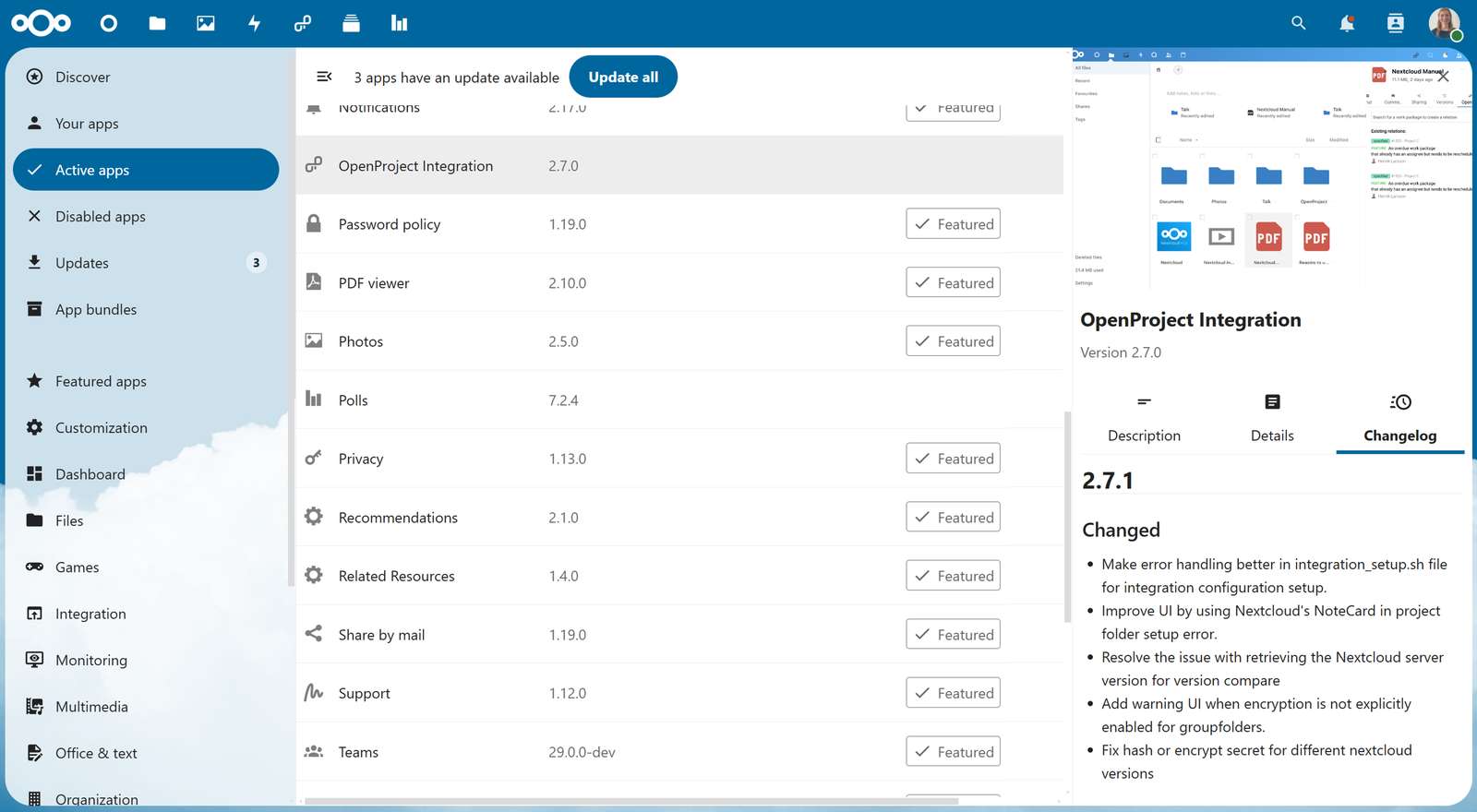
Nextcloud is built from apps. The server ships with the essentials, and the App Store adds the rest: project boards, forms, whiteboards, and connectors for tools such as OpenProject, Jira, GitLab and Mattermost. You enable what the business needs and nothing more. Underneath sit WebDAV, CalDAV and CardDAV endpoints, a REST API and webhooks, so your own systems can file documents, create shares or react to new uploads.
Core Features of Nextcloud
Files: Sync & Share
- Desktop clients for Windows, macOS and Linux, with virtual files on Windows and macOS so large folders do not fill up laptops
- Mobile apps for iOS and Android with automatic photo upload
- Share links with passwords, expiry dates and view-only access for customers and partners
- File requests: upload-only links where clients send you documents
- Team folders that belong to a group rather than to one employee
- Version history, trash bin and file locking
- External storage: connect existing Windows file shares (SMB), S3 buckets, SFTP and WebDAV
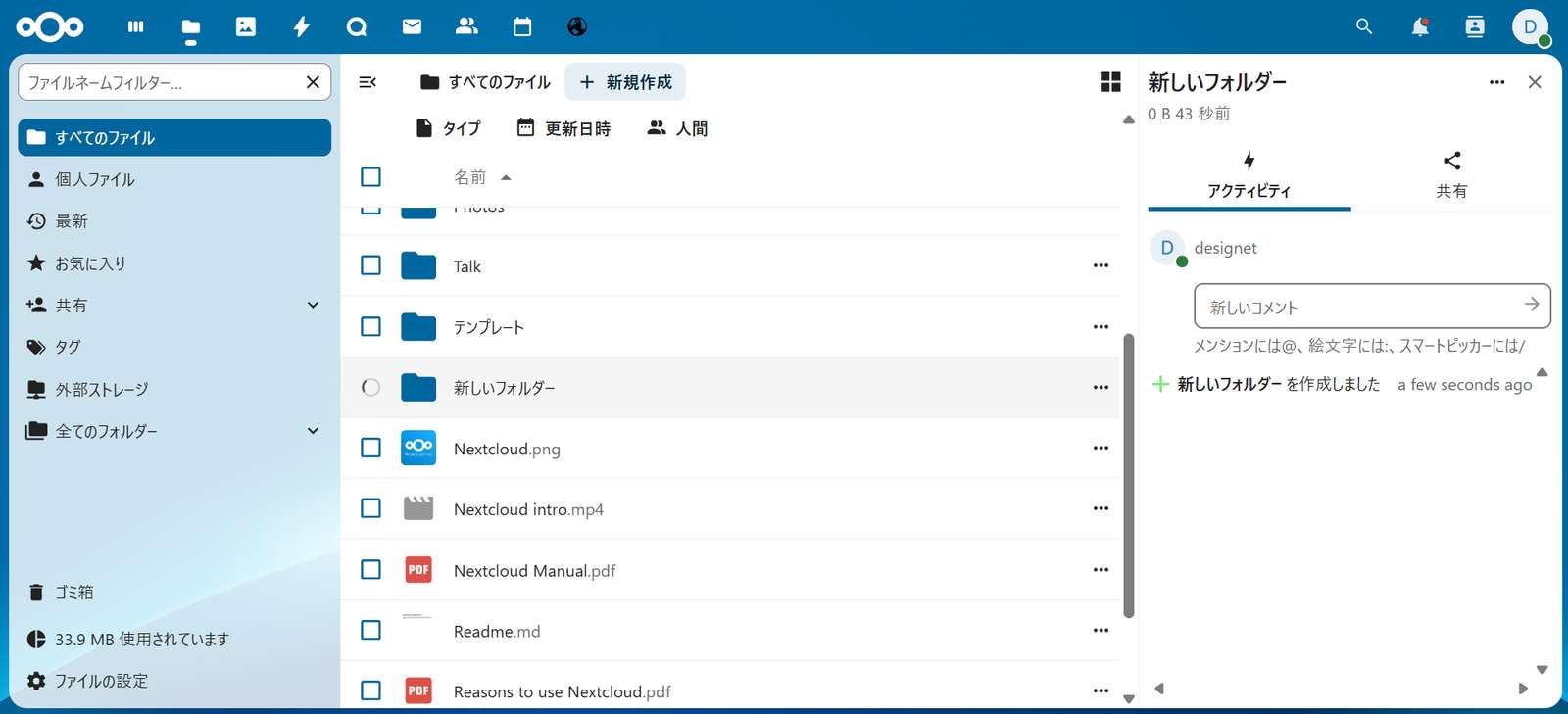
- Interface in dozens of languages, set per user
Office Documents
- Nextcloud Office, built on Collabora Online, for Word, Excel and PowerPoint files in the browser
- Real-time co-editing with comments and tracked changes
- Euro-Office, the open-source suite Nextcloud launched with IONOS and Proton in 2026, as an alternative editor
- Native OpenDocument (ODF) support alongside DOCX, XLSX and PPTX
- Templates, PDF export and version history on every document
- Desktop Office apps still work on the synced files
Nextcloud Talk
- Chat in one-to-one, group and public conversations
- Video calls and screen sharing in the browser and the mobile apps
- Webinars with a lobby, and breakout rooms
- Call recording with the recording server
- SIP dial-in with an Enterprise Talk subscription
- Federation with people on other Nextcloud servers
Groupware
- Calendar with CalDAV sync, room and resource booking, and appointment slots clients can book
- Contacts with CardDAV sync and shared address books
- Mail: a web client for your existing mailbox (Nextcloud is not a mail server)
- Deck: Kanban boards for team tasks
- Forms, polls and shared tables
Security & Compliance
- Two-factor authentication with authenticator apps or security keys, enforceable per group
- Single sign-on through LDAP/Active Directory, SAML 2.0 or OpenID Connect
- Server-side encryption, plus end-to-end encrypted folders for the most sensitive data
- Brute-force protection and password policies
- Audit log of logins, shares and file changes
- Tag-based access control and retention rules
- Antivirus scanning with ClamAV
AI Assistant
- Summaries, headlines and rewrites of any text
- Chat with a language model inside Nextcloud
- Speech-to-text transcription
- Image generation
- Models on your own hardware (local language model, Whisper and Stable Diffusion apps) or through an external provider you choose
Administration
- Users, groups, quotas and apps managed from the web interface
- Guest accounts for external collaborators
- Your logo, colors and domain through theming
- Full-text search across documents with Elasticsearch
- Client Push, which tells desktop clients about changes instead of letting them poll
- System status and usage data through the built-in monitoring app
How to Set Up Nextcloud
Managed Nextcloud Hosting
If nobody in your company wants to run servers, managed providers operate Nextcloud for you. Hetzner's Storage Share, for example, runs it in the Falkenstein data center in Germany, with plans starting at 1TB. You manage users, groups, quotas and App Store apps, but you do not get access to the server itself. Anything that needs the server (tuning PHP, adding a document server or a Talk backend next to Nextcloud, your own backup routine) calls for your own installation.
Self-Hosted: The Recommended Approach
For full control, self-hosting is the way to go. Here are the recommended setups:
Low-Scale: Small & Medium Businesses
For companies with up to 100 users and a few terabytes of files:
- Nextcloud All-in-One (AIO), the Docker setup maintained by Nextcloud GmbH: it starts Nextcloud with PostgreSQL, Redis and Client Push, obtains its own TLS certificate, and offers Nextcloud Office, the Talk high-performance backend, ClamAV and BorgBackup backups as optional containers
- Free for up to 100 users; above that, Nextcloud lifts the limit with an Enterprise subscription
- A single server with 4 to 8 CPU cores and 16 to 32GB RAM
- NVMe storage for the system and database, plus a separate volume for files
- A domain pointing at the server, with port 443 open for Nextcloud and 3478 (TCP and UDP) for Talk calls
- Daily AIO backups, copied to a second location
Sample Docker Compose file (the official AIO setup):
name: nextcloud-aio
services:
  nextcloud-aio-mastercontainer:
    image: ghcr.io/nextcloud-releases/all-in-one:latest
    init: true
    restart: always
    container_name: nextcloud-aio-mastercontainer # must not be changed
    volumes:
      - nextcloud_aio_mastercontainer:/mnt/docker-aio-config # must not be changed
      - /var/run/docker.sock:/var/run/docker.sock:ro
    network_mode: bridge
    ports:
      - "80:80"
      - "8080:8080" # AIO interface
      - "8443:8443"

volumes:
  nextcloud_aio_mastercontainer:
    name: nextcloud_aio_mastercontainer # must not be changed
Run docker compose up -d, open https://your-server-ip:8080, and the AIO interface takes you through the domain, the optional containers and the first backup. The master container creates and updates everything else, including Nextcloud itself.
If you would rather assemble the stack yourself, the community nextcloud Docker image works with your own database, Redis and reverse proxy. Its maintainers describe it as designed for expert use.
High-Scale: Enterprise
For organizations with hundreds or thousands of users, uptime requirements and tens of terabytes of files:
- Kubernetes with the Nextcloud Helm chart, or several application servers behind a load balancer
- S3-compatible object storage as primary storage, with multiple buckets at scale: a European provider if jurisdiction matters, or Amazon S3 with encryption keys held by Nextcloud (SSE-C)
- PostgreSQL as a managed service (Amazon RDS or Aurora) or your own replicated cluster
- Redis (Amazon ElastiCache) for file locking, sessions and caching shared by all nodes
- Client Push so thousands of desktop clients hear about changes instead of polling the server
- Talk high-performance backend with a TURN server, for calls with 30 to 50 active participants or webinars with hundreds of viewers
- Collabora Online or Euro-Office on dedicated nodes for document editing
- Elasticsearch for full-text search across documents
- Single sign-on through Microsoft Entra ID, Keycloak or Active Directory
This architecture scales out rather than up: add application nodes as users grow, while storage grows with the bucket. At this size an Enterprise subscription belongs in the budget. Above 500 users the community edition flags itself as unsupported and limits the free push notification service, and clustered deployments are supported from the Premium plan.
Why Choose Nextcloud Over Other Solutions?
vs. Microsoft 365 (OneDrive, SharePoint, Teams)
- Cost: Business Standard is $14/user/month from July 2026; Nextcloud's community edition is free
- Jurisdiction: Microsoft's EU Data Boundary controls where data is stored, not which law can reach it; with a European host or your own hardware, no US provider holds your files
- Lock-in: SharePoint sites, Teams channels and Power Automate flows do not export cleanly; Nextcloud uses open protocols (WebDAV, CalDAV, CardDAV) and standard file formats
- Email: Microsoft 365 includes Exchange mailboxes; Nextcloud Mail is a client, so you need a mail provider alongside it
- Office: Workbooks full of VBA macros are where users will notice the difference; everyday documents open and edit fine
vs. Google Workspace
- Cost: Business Standard is $14/user/month on an annual plan, $16.80 on the flexible plan; Nextcloud scales at infrastructure cost
- Data Ownership: Google hosts your documents; Nextcloud keeps them on servers you choose
- File Formats: Google Docs, Sheets and Slides use Google's own formats and have to be exported to leave; Nextcloud Office saves standard DOCX, XLSX and ODF files
- Co-Editing: Google Docs still has the smoothest real-time editing; Nextcloud Office co-editing works, with less polish
vs. Dropbox / Box
- Scope: Dropbox and Box focus on files; Nextcloud adds office documents, calls, calendars and contacts in the same installation
- Pricing: Both charge per user; with Nextcloud you pay for storage, not seats
- Self-Hosted: Complete data sovereignty, including where backups are kept
- Federation: Nextcloud servers share with each other across organizations, so a partner running Nextcloud does not need an account on yours
Nextcloud + Mattermost: A Self-Hosted Workplace Stack
Nextcloud Talk covers chat and meetings for most companies. Teams that already work in Mattermost, usually engineering and operations, can keep it for chat and let Nextcloud handle files, documents and calendars. Nextcloud's Mattermost integration app connects the two:
- Sharing from Files: Send files to a Mattermost channel directly from Nextcloud Files
- Unified search: Find Mattermost messages from Nextcloud's search bar
- Mentions on the dashboard: Your latest Mattermost @mentions appear on the Nextcloud dashboard
- Privacy compliance: Both platforms keep data 100% on your infrastructure
- Cost savings: One set of servers replaces a productivity suite and a chat subscription, both billed per seat
Add self-managed GitLab and the engineering side of the company runs on the same principle.
Technical Requirements
Minimum Requirements
- 64-bit Linux (Ubuntu 24.04 or 26.04 LTS, Debian 13, RHEL 9 or 10)
- PHP 8.3 or higher
- MySQL 8.4, MariaDB 10.11 or PostgreSQL 14, or newer
- Web server (Apache 2.4, or nginx with PHP-FPM)
- 128MB PHP memory limit per process
- Cron job access for background jobs
Recommended for Production
- PHP 8.4 or 8.5
- PostgreSQL 18 or MariaDB 11.8
- 512MB+ PHP memory limit
- Redis for file locking and caching, APCu for local caching
- SSD or NVMe storage for the database
- Object storage or a dedicated volume for files, chosen before the first upload
- SSL certificate with HSTS enabled
- Talk high-performance backend for calls beyond a few participants
Cost Comparison
Self-Hosted Nextcloud (50 users, 1TB of files)
- Server: $40 to $120/month (VPS or dedicated server)
- Storage and Off-Site Backups: $10 to $40/month
- Office and Video Calls: Free (Nextcloud Office and Talk in the community edition)
- SSL: Free (Let's Encrypt)
- Total: ~$50 to $160/month
Microsoft 365 Business Standard (50 users)
- Licenses: $14/user/month
- Includes: Exchange email and 1TB of OneDrive storage per user
- Total: $700/month
Google Workspace Business Standard (50 users)
- Licenses: $14/user/month (annual plan) or $16.80 (flexible plan)
- Includes: Gmail and 2TB of pooled storage per user
- Total: $700 to $840/month
The math: On infrastructure alone, self-hosted Nextcloud costs 75% to 95% less at 50 users. Add a mail provider and a few hours of administration a month and the difference at 50 users is smaller, but it grows with every hire: the license bill scales per user and the server bill barely moves. If you want vendor support, Nextcloud Enterprise starts at €71.29 per user per year for Files Standard (excluding VAT, from 100 users), about €5.94 per user per month before infrastructure.
Best Practices
- Choose Your Storage Before the First Upload: Adding object storage as primary storage to an existing instance makes every existing file inaccessible, so decide between local disks and S3 at install time
- Switch Background Jobs to Cron: Nextcloud defaults to AJAX, which only runs jobs when someone loads a page; run cron.php from the system cron every 5 minutes
- Use Redis for File Locking: Enable Redis for transactional file locking and caching, and APCu for local caching, so syncs stay fast when many people work on the same files
- Connect Single Sign-On: Link Nextcloud to Active Directory, Entra ID or Keycloak so access ends the day someone is offboarded, and enforce two-factor authentication for every group
- Set Sharing Rules on Day One: Require passwords and expiry dates on public links, limit who can share outside the company, and keep department data in Team folders so it does not leave with an employee
- Back Up More Than the Files: Back up the database, the data directory and config.php, plus the encryption keys if server-side encryption is on; losing the keys or the instance secret means permanent data loss
- Upgrade One Major Version at a Time: Nextcloud cannot skip major versions, and each one gets a year of updates; Hub 25 Autumn (version 32) reached end of life in September 2026, so check which version you run and test upgrades on a copy first
- Plan Talk Before the First All-Hands: Without the high-performance backend, every participant sends video to every other participant, which only works for small meetings
- Run the Security Checks: Fix every warning on the administration overview page, then test your public address with the free Nextcloud Security Scan at scan.nextcloud.com
- GDPR From Day One: Set retention for deleted files and old versions, enable the audit log, and document where servers and backups are located before the first client file arrives
Common Use Cases
- Microsoft 365 or Google Workspace Replacement: Files, documents, calendars and video calls for the whole company on servers you control
- Client Document Exchange: Law firms, accountants and consultancies sending files through password-protected, expiring links and collecting documents through file requests
- Public Sector: Administrations that need data inside national borders; the German state of Schleswig-Holstein is replacing SharePoint with Nextcloud
- Healthcare: Patient documents kept in the country, with end-to-end encrypted folders for the most sensitive records
- Engineering, Architecture & Media: Large CAD drawings and video files synced as virtual files, so laptops do not fill up
- Education: Course material, assignments and online lessons for schools and universities
- Multi-Office Companies: Team folders, shared calendars and Talk meetings across countries and languages
- Finance & Regulated Industries: Audit logs, retention rules and access control that show auditors who changed what
Need Help Setting Nextcloud Up?
Our team deploys and runs self-hosted open-source infrastructure for companies across Europe. Whether you need:
- Initial installation and server sizing
- Migration from Microsoft 365 (OneDrive and SharePoint), Google Drive or Dropbox
- Single sign-on with Active Directory, Microsoft Entra ID or Keycloak
- Nextcloud Office and Talk high-performance backend setup
- High availability deployment on AWS or Kubernetes
- Backups, monitoring and upgrade management
- Training and documentation for your team
Contact us at office@c9group.dev for a free consultation and quote.
Published: September 15, 2026 Categories: Collaboration, Open Source, Privacy