Rybbit Analytics: A Cookieless, Self-Hosted Alternative to Google Analytics
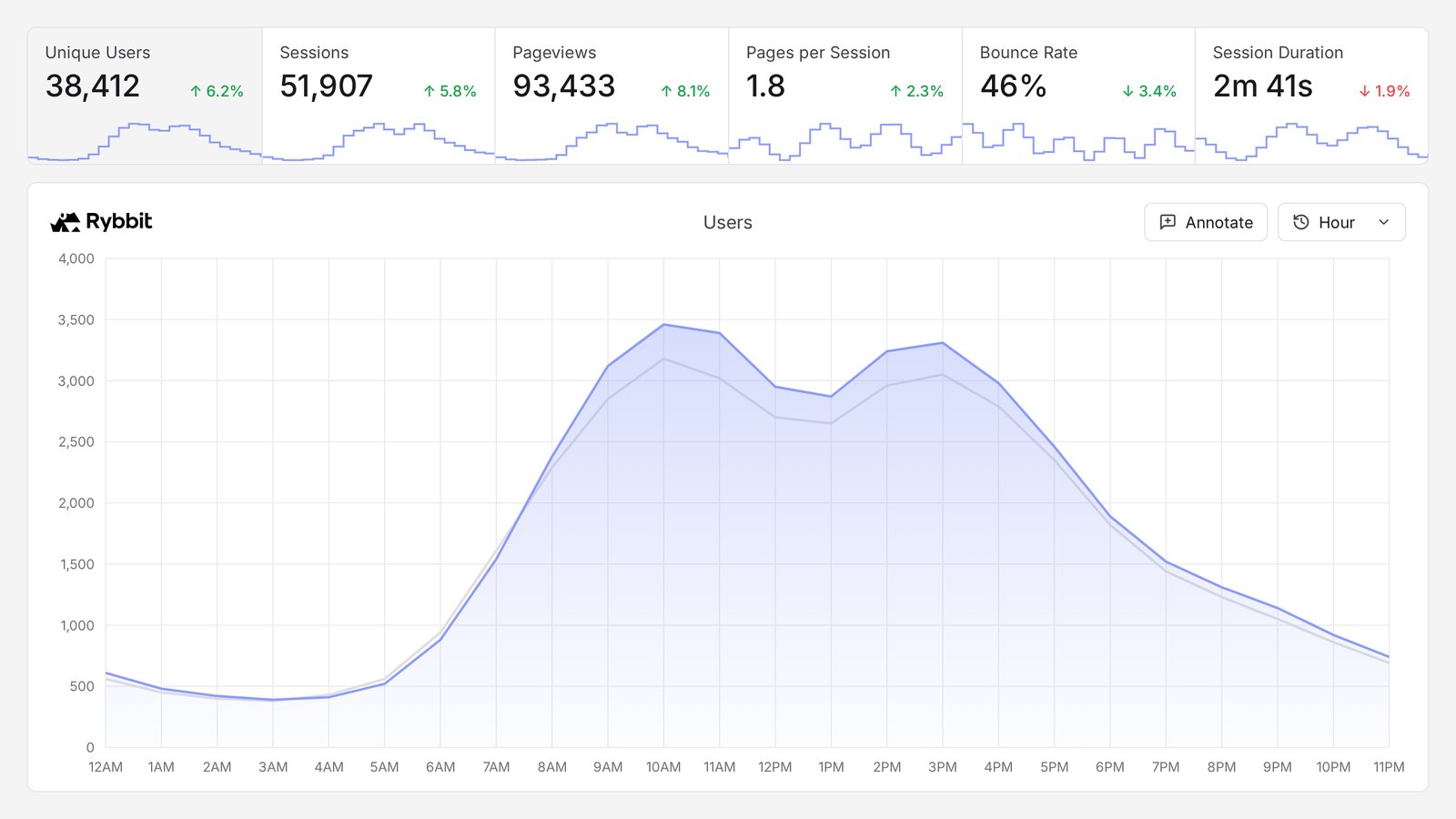
What is Rybbit, How Does It Work, and How to Set It Up?
Rybbit is an open-source web analytics tool that tracks visitors without relying on cookies. It's a relatively new project: version 1.0 launched in May 2025, version 2.0 arrived in October 2025, and as of October 2026, the latest release is 2.9.1 (tagged September 12, 2026). The code lives on GitHub under the AGPL-3.0 licence. Tomato.gg LLC, the US company behind it, also offers a hosted version for those who prefer not to manage their own server.
We run it on c9group.dev, self-hosted on our own servers, as we do Mautic. When we want to know what visitors actually did on a page, it is the tool we open first. This guide covers what it is good at, where it falls short, and how to set it up.
How it works: a small script, script.js, loads from your Rybbit server and reports pageviews and events back to it. Events go into ClickHouse, a column database built for exactly this kind of counting. Accounts, sites and settings live in Postgres. The dashboard is a Next.js app, and the API behind it is a Node.js server.
What are the Primary Benefits of Using Rybbit?
No Cookies
Rybbit doesn't set cookies in the traditional sense. The server identifies returning visitors by hashing their IP address and browser user agent, and since version 2.8 it can also track a visitor whose IP changes mid-visit by matching their browser's characteristics. GA4, by contrast, relies on cookies and waits for consent—meaning every visitor who ignores or declines the banner is missing from its reports (though Google's Consent Mode helps model some of them back).
The absence of cookies doesn't mean there's no consent question. The 2.9 tracking script writes a random visitor ID to the browser's local storage on every visit, regardless of your settings; this data is sent to the server only when you enable Rybbit's feature flags. The ePrivacy Directive's consent rule (Article 5(3)) covers any information stored on a visitor's device—not just cookies—and the European Data Protection Board's Guidelines 2/2023 interpret it broadly. GDPR applies as well: the IP address still reaches your server, and Rybbit's own documentation notes the default hashed ID "may be considered storing personally identifiable data under GDPR".
So whether Rybbit may run before the visitor answers your banner is a decision for whoever answers for your privacy policy, not something the word "cookieless" settles. Settings that narrow what it collects are under Privacy Settings below.
Session Detail You Can Act On
Every session includes traffic source, UTM parameters, channel, duration, and pageviews. Enable autocapture and it also tracks button clicks, form submissions, input changes, copied text, and outbound clicks. "Did they engage?" becomes a measurable number rather than a guess.
If you're paying for traffic, this is where you'll see whether those visitors actually read the page or bounced within a second—before you decide to raise your budget.
Replay, Funnels and Journeys in the Free Edition
The self-hosted edition includes session replay, funnels, user journeys, retention metrics, goals, error tracking, and web vitals. That's where Rybbit stands out from the alternatives. Matomo sells heatmaps and session recordings as paid plugins for self-hosted installations. Plausible leaves funnels and user journeys out of its free Community Edition.
Light to Run
Rybbit asks for a server with at least 2 GB of RAM. One VPS runs the whole stack, and its own documentation puts a self-hosted setup at 30 to 120 minutes.
An API and an MCP Server
Everything on the dashboard is available over a REST API with a personal API key. Rybbit also ships an MCP server, so an AI assistant such as Claude Code or Cursor can query your numbers directly. Both work against a self-hosted instance.
How to Set Up Rybbit
Rybbit Cloud
The quickest route: sign up, add your domain, paste one script tag. The cloud stores analytics data on Hetzner servers in Germany and Finland. Plans and prices are covered under Cost Considerations below.
WordPress
There's no official plugin, but you don't need one. Rybbit's WordPress guide adds the script tag through a plugin such as WPCode, or through a child theme's functions.php or header.php. On WordPress.com, you'll need the Business plan or higher.
Self-Hosted with Docker
Low-Scale: Startups and Small Sites
What you need:
- A VPS with at least 2 GB of RAM. Rybbit is tested on Ubuntu 24 LTS on x86_64; an ARM server must be ARMv8.2-A or newer, because ClickHouse requires it.
- Docker Engine and Git.
- A subdomain, such as
analytics.example.com, with an A record pointing at the server. HTTPS is required, since browsers block a tracking script served over plain HTTP. If the domain is on Cloudflare, set the record to DNS only, or the SSL mode to Full or Full (strict).
Then:
git clone https://github.com/rybbit-io/rybbit.git
cd rybbit
chmod +x *.sh
./setup.sh analytics.example.com
The script writes a .env file and starts the containers: ClickHouse, Postgres, Redis, the backend, the dashboard, and Caddy, which obtains the TLS certificate. Open https://analytics.example.com/signup and create the first account.
Then close the door behind you. Add DISABLE_SIGNUP=true to .env and run ./restart.sh, so that strangers can't open accounts on your server.
If the server already has a reverse proxy such as Traefik or Nginx, run ./setup.sh analytics.example.com --no-webserver. Caddy is left out and your proxy terminates TLS.
To update: git pull, then ./update.sh.
High-Scale: Large Sites and Agencies
The backend reads CLICKHOUSE_HOST, POSTGRES_HOST and REDIS_HOST from its environment, so each database can move to a server of its own without touching the application. ClickHouse is the part that grows: it holds every event and, if you record them, every replay. Give it its own machine with fast SSD storage first.
On AWS, the backend and dashboard images run on ECS Fargate like any other container, with ClickHouse on an EC2 instance and Postgres on RDS. Session replays are kept for 30 days by default, through a TTL on two ClickHouse tables that you can shorten.
If you'd rather not run any of it, Rybbit's Enterprise plan offers a dedicated instance or an on-premise installation.
The Tracking Script
<script src="https://analytics.example.com/api/script.js?siteId=YOUR_SITE_ID" async></script>
Pass the site ID in the URL. The older data-site-id attribute still works, but optimisation plugins such as WP Rocket rebuild script tags and drop data- attributes.
Single-page apps need nothing extra. The script follows History API navigation and records each route change as a pageview, after a 500 ms debounce. Hash routes that begin with #/ are tracked too.
For your own events:
window.rybbit.event('quote_requested', { plan: 'pro' });
Event names can be up to 256 characters, and properties (strings and numbers) up to 2 KB.
Key Features of Rybbit
Analytics
- Sessions, unique users, pageviews, bounce rate and session duration
- Real-time dashboard with a live globe
- Location down to country, region and city
- Filtering across more than 15 dimensions, and saved segments
- Custom events with properties
- Goals, funnels, user journeys and retention
- Error tracking for uncaught JavaScript errors
- Web vitals
- Bot detection and filtering
Behaviour
- Session replay, with every input value masked by default
- Autocapture of clicks, form submissions, copies and outbound links
- User profiles, with names and traits once you call
rybbit.identify()for signed-in users
Sharing and Integration
- Unlimited sites and organisations with teams
- Public dashboards and embeddable widgets
- REST API and MCP server
- Google Search Console integration (self-hosted, it needs Google OAuth credentials)
- Import from Plausible, Umami and Simple Analytics
Privacy Settings
- User ID Salting: changes the visitor hash every day, so Rybbit forgets who someone is after 24 hours. The cost is real: unique users over longer periods are inflated and the retention report stops making sense. Decide before launch, because switching it later breaks your trend lines.
- Track IP Address: off unless you turn it on. Rybbit's documentation calls storing IPs "not GDPR compliant".
- Session replay: a site setting, and on for every visitor once enabled. To record only visitors who agreed, add
data-replay-sample-rate="0"to the script tag for everyone else. - Replay masking: add the
rr-blockclass to leave an element out of recordings, andrr-maskto replace its text with asterisks. - Exclusions: by IP or range, country, path, hostname and user agent, applied on the server before anything is stored.
Why Choose Rybbit Over Other Solutions?
vs. Google Analytics 4
- Coverage: where you may load it before consent, it counts the visitors who never answer the banner (see No Cookies above)
- Data location: on your server, or in Rybbit's EU-hosted cloud
- Behaviour detail: session replay, which GA4 doesn't have, and a readable record of every session
- Where GA4 wins: Google Ads integration, audiences for remarketing, and data-driven attribution
vs. Matomo
We've set up both; see our Matomo guide.
- Matomo is older and broader: e-commerce reports, a tag manager, a large plugin library, and an importer for your Google Analytics history. It runs on PHP and MySQL, which almost any host supports.
- Rybbit includes more for free: replay and funnels without paid plugins, and a simpler dashboard.
- Cookies: Rybbit sets none. Matomo uses first-party cookies by default and can be configured without them.
- History: Rybbit can't import from Google Analytics or Matomo.
If you sell online or need your GA history, choose Matomo. If you want to see what visitors do, with no cookie involved, choose Rybbit.
vs. Plausible
- Neither sets cookies, and both are AGPL-licensed.
- Plausible's free Community Edition excludes funnels, user journeys, ecommerce revenue goals, SSO and the sites API, and gets a release twice a year.
- Plausible has no session replay.
- Plausible is the simpler of the two. If one page of top-line numbers is all you want, that's a point in its favour.
Where Rybbit Falls Short
- It is young. 1.0 came out in May 2025 and releases are frequent. Read the release notes before every update.
- It doesn't report conversions. Rybbit measures behaviour on the page. Google Ads and Meta still need their own conversion tracking, and a Rybbit count should never be read as a conversion.
- Autocapture names a button by its text. On a multilingual site the same button arrives as a separate event in every language, so a site in 19 languages gets 19 versions of one click. Send a named custom event for each funnel step instead.
- Self-hosted has no email reports. The cloud does.
- AGPL obligations. If you modify Rybbit and let others use it over a network, you have to publish your changes.
Technical Requirements
As of October 2026, the newest release is 2.9.1.
Minimum Requirements
- 2 GB of RAM
- x86_64, or ARMv8.2-A or newer
- Docker Engine and Git
- A domain or subdomain with HTTPS
Recommended for Production
- 4 GB of RAM or more, as ClickHouse is the memory-hungry part
- SSD storage
- Scheduled backups of both the ClickHouse and Postgres volumes
- Signups disabled after the first account
Cost Considerations
Self-Hosted
- Software: free, under AGPL-3.0
- Server: one small VPS to start
- Maintenance: your time for updates and backups
Rybbit Cloud
Prices as of October 2026, billed annually, with a 7-day free trial:
- Standard: from USD 13 a month for 100,000 monthly pageviews. Up to 5 sites and 3 team members, 3 years of data retention, no session replay.
- Pro: from USD 26 a month. Unlimited sites and team members, session replay, 5 years of retention.
- Enterprise: priced on request, including a dedicated or on-premise instance.
Best Practices
- Disable signups as soon as your own account exists.
- Decide on User ID Salting before launch. Changing it later breaks the continuity of your user counts.
- Keep your own traffic out. Exclude
localhostand preview domains by hostname, and your office by IP. - Allow the script in your Content Security Policy. Your Rybbit domain goes in both
script-srcandconnect-src, or the browser blocks it and only the console says why. - Name your funnel events yourself on a multilingual site, rather than relying on autocapture.
- Mask before you record. Put
rr-blockon anything that shows customer data, such as an order confirmation, before you switch replay on. - Back up both databases. ClickHouse holds the events, Postgres holds the accounts and settings.
- Name Rybbit in your privacy policy, with what it collects, the local storage entry, session replays if you record them, and how long you keep it.
Common Use Cases
- Marketing sites: see whether paid traffic actually reads the page before you raise the budget
- SaaS products: funnels, retention and user profiles for signed-in users
- Agencies: unlimited sites, teams and public dashboards for clients
- European companies: analytics data on your own servers, or on the EU-hosted cloud
- Debugging: error tracking, and a replay of the session in which it went wrong
Need Help Setting Rybbit Up?
We run Rybbit in production ourselves. Whether you need:
- Self-hosted installation behind your existing reverse proxy
- A move from Google Analytics, or from Plausible or Umami with your history
- Custom events and funnels that survive translation
- Privacy settings and replay masking checked against your privacy policy
- Rybbit next to Mautic, from anonymous visit to identified lead
Contact us at office@c9group.dev for a free consultation and quote.
Published: October 15, 2026 Categories: Analytics, Open Source, Privacy
Analytics
New guides and rule changes by email
When a rule changes, a deadline moves or we publish a new guide, we send it by email.